
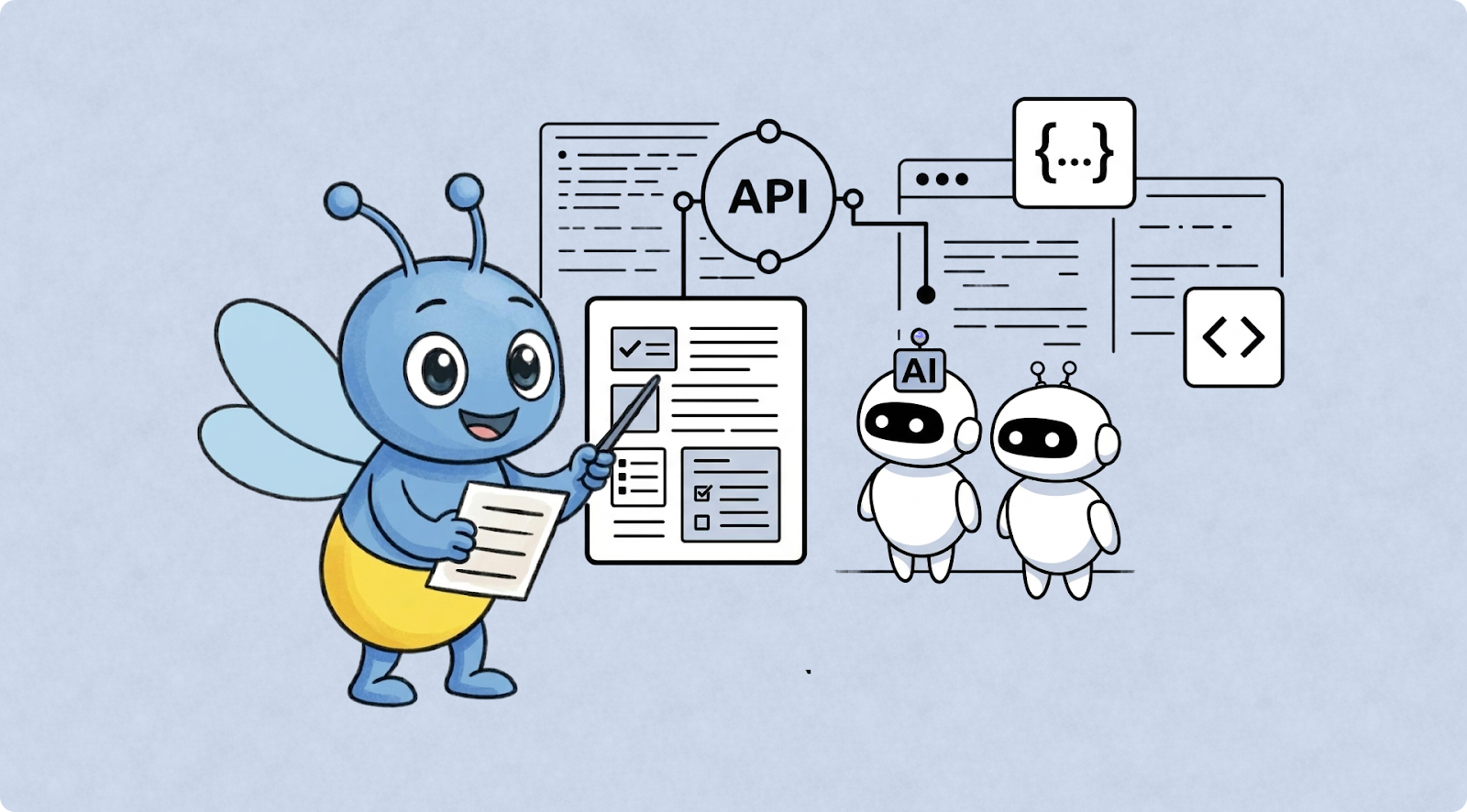
For decades, the “Golden Rule” of technical writing was simple: Write for the human developer. We obsessed over clear prose, beautiful UI layouts, and the “Developer Experience” (DX). We built “Getting Started” guides that held a human’s hand through their first Hello World. We assumed our reader was a caffeinated engineer sitting in a dark room, squinting at a monitor, trying to make sense of our logic.
But as we cross into March 2026, that assumption is officially obsolete.
Today, the first “entity” to read your documentation isn’t a person. It’s an AI Agent. It’s GitHub Copilot, it’s a custom GPT, it’s an autonomous LangChain agent, or it’s a specialized coding assistant like Gemini. These “robots” are the new middleman. A developer doesn’t “browse” your docs anymore; they ask an AI to write the integration for them. If your documentation is only optimized for humans, you are effectively invisible to the AI.
How to Make API Documentation AI-Readable
If you want to understand how to make API documentation AI-readable, you have to understand how an LLM processes information. Unlike a human, who can look at a pretty sidebar and infer where the “Auth” section is, an AI relies on explicit hierarchy and machine-readable pointers.
In this new ecosystem, APIs are no longer just consumed by people, they are interpreted by machines. If your documentation is unclear or inconsistent, AI tools will misunderstand your API, leading to incorrect requests and broken integration code. This is why “Robot-First” documentation is becoming a critical competitive advantage for platform teams.
Why This Shift Matters for Platform Teams
When an AI agent reads your documentation, it isn’t looking for a story. It’s looking for a schema. It is mapping inputs to outputs. If your documentation is a sprawling mess of unstructured HTML, the AI has to perform “OCR-style” mental gymnastics to figure out what’s going on.
This is where hallucinations come from. When an AI agent can’t find a clear definition for a parameter, it doesn’t stop and ask for help. It guesses. It looks at the name of your endpoint, let’s say /get_user_info, and it assumes there’s a parameter called user_id. But if your API actually requires uuid_v4, and you didn’t explicitly define that in a machine-readable way, the AI will confidently write 50 lines of broken code that uses user_id.
The result? A frustrated developer who thinks your API is broken, when in reality, your documentation simply didn’t speak “Robot.”
The Amplification Effect: The Stakes of Documentation Quality
One of the most profound shifts in 2026 is the Amplification Effect. In the past, bad documentation was a linear problem. It slowed one developer down. They’d spend an hour debugging, find the solution, and move on. In the AI era, bad documentation is an exponential problem. AI tools generate code at a massive scale. If your documentation is slightly “off,” an AI assistant might suggest that incorrect implementation to thousands of developers simultaneously.
To visualize the difference in how we must now present information, consider the following shift in priorities:
Think of your documentation as the “training signal” for the AI. High-quality signals lead to the AI generating perfect, idiomatic code in seconds. Low-quality signals lead to “hallucination code,” where the developer spends hours debugging AI-generated garbage. In this new world, documentation is no longer just a support resource. It is a core product feature and the API’s “Machine Interface.”
The Pillars of AI-Ready Documentation
So, how do we actually “talk” to the robots without losing our human touch? It requires a shift in how we structure our content. We need to move from “informational” to “executable.”
The Power of the OpenAPI Specification
For a while, OpenAPI (Swagger) specs were seen as a “nice-to-have.” In 2026, a bulletproof OpenAPI spec is your most important marketing asset. But a basic spec isn’t enough; you need a Semantic Spec.
Descriptions are not optional: Don’t just list a parameter as string. An AI needs to know what that string represents. Is it an email? A slug? A base64 encoded image?
Use Specific Constraints: Utilize the full power of JSON Schema. If a value must be between 1 and 100, use
minimum: 1andmaximum: 100.Comprehensive Error Mapping: Document every possible status code, from the
200 OKto the429 Too Many Requests.This allows the AI to write robust error-handling logic for your specific API.
The llms.txt Standard
If you haven’t heard of llms.txt, pay attention, it’s the robots.txt of the 2020s. Hosted at your domain root, this file is a high-density, Markdown-formatted map of your entire developer portal. It isn’t meant for humans to read; it’s a “Cheat Sheet” for LLMs.
Executive Summary: A concise summary of what the API does.
Discovery Pointers: Links to core specs and documentation directories.
Pattern Declaration: Explicitly state whether your pagination is zero-indexed or one-indexed and your preferred auth method.
By providing an llms.txt file, you are essentially giving the AI a GPS for your documentation. Instead of the AI having to crawl your site and guess which page is relevant, it can jump straight to the source of truth.
Example-Driven Learning
AI models are “few-shot learners.” This means they learn best when they see a few examples of how something is done. Your documentation should provide copy-pasteable, atomic examples for every single endpoint.
The Raw Request: Provide the exact cURL command.
The Full Response: Show the unedited JSON response (avoid using “...” placeholders which confuse parsers).
The Failure State: Show what happens when a request is rejected. This is vital for AI agents writing automated error-recovery code.
Enter Docuwiz: Synchronizing Human and Machine Needs
Maintaining this level of structural perfection manually is a nightmare. This is where tools like Docuwiz become essential for the modern platform team. Docuwiz is designed for the 2026 developer ecosystem, bridging the gap between your codebase and your documentation portal.
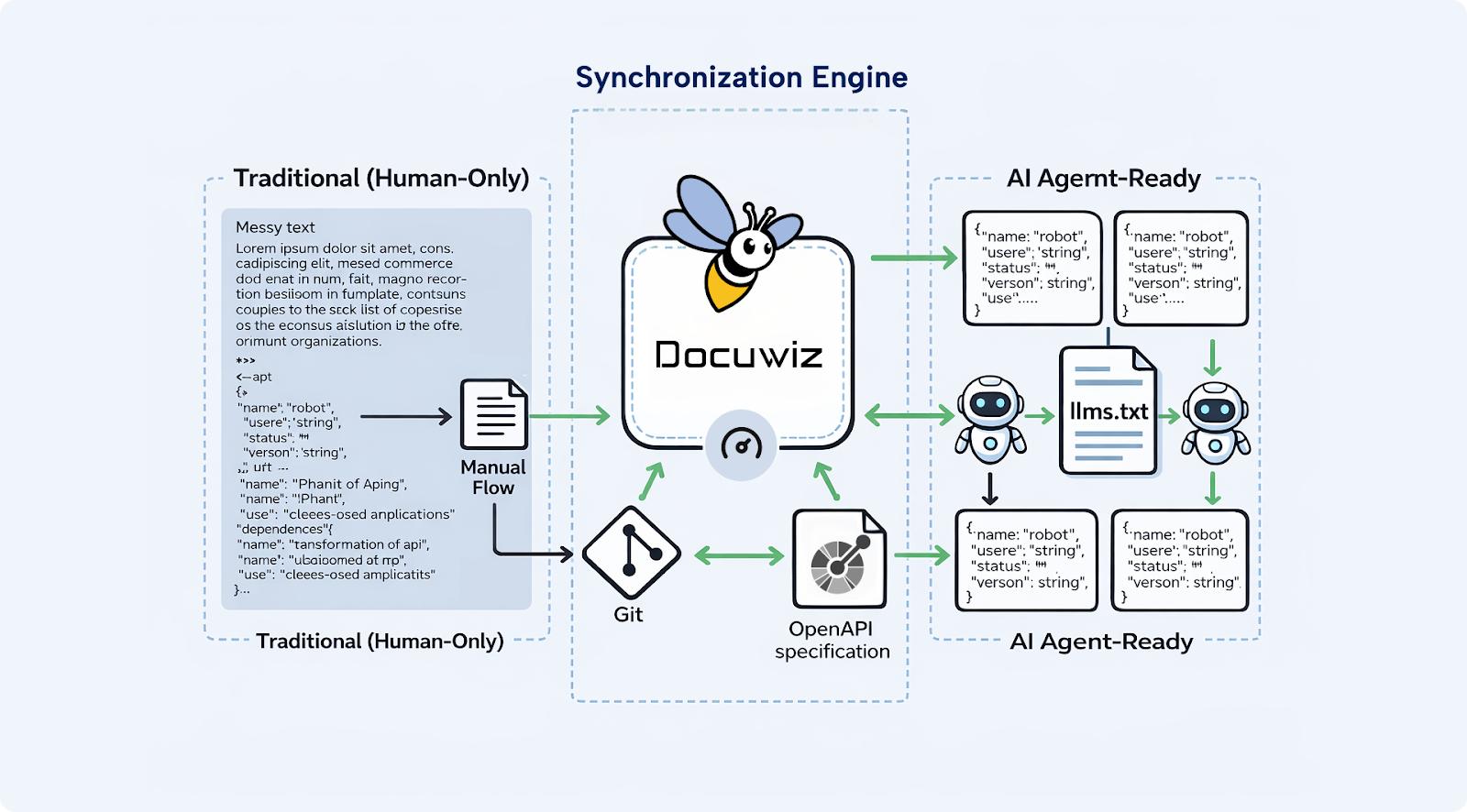
One of the biggest challenges in the AI era is “documentation drift.” This happens when your engineering team updates an API endpoint but forgets to update the docs. For a human, this is annoying. For an AI, it’s catastrophic. It leads to the immediate generation of broken code that references non-existent parameters or deprecated endpoints.
Docuwiz solves this by enabling Git-based workflows where your documentation and your code live in sync. By using Docuwiz, teams can:
Automate Synchronization: Ensure that your OpenAPI specs, Markdown guides, and JSON examples are always pulled from the latest version of the truth.
Structural Consistency: Build a developer portal that is as searchable for a human as it is indexable for an LLM.
Scalable Maintenance: When your documentation is handled via a platform that understands structure, you aren’t just hosting pages; you are hosting a knowledge base that AI agents can trust.
When your docs stay synchronized with your code via Docuwiz, you eliminate the risk of the AI “learning” from outdated information.
Addressing the "Friendly" Factor: Writing for Both Worlds
You might be thinking, “If I write for robots, won’t my documentation become cold, clinical, and boring for humans?” Actually, the opposite is true. The things that make documentation AI-readable, clarity, structure, explicitness, and consistency, are the exact same things that make it Human-Friendly. Humans don’t want to read a 1,000-word essay to find an API key header; they want a table.
Use “Robot-Headings”: Use clear, semantic tags. Instead of a creative heading like “Getting Your Foot in the Door,” use “Authentication and API Keys.” The robot knows exactly what that means.
The “Summary First” Rule: Every page should start with a structured block. This gives the AI the context it needs immediately, and it gives the human the answer they’re looking for without scrolling.
Semantic Formatting: Use Markdown tables for parameters and code blocks for every technical reference. Never mention an endpoint name in plain text, always wrap it in backticks like /v1/users. This helps the AI’s “tokenizer” identify it as a technical entity rather than just another word.
Anti-Patterns That Confuse AI (and Kill Your DX)
If you want to stay in the AI’s good graces and ensure your APIs are integrated correctly, avoid these critical mistakes:
The Screenshot Only Guide: If your only explanation for how to find an API key is a screenshot, the AI is effectively blind. It cannot parse the text inside that image reliably. Always provide a text-based description.
Tribal Knowledge Gaps: Avoid phrases like “As is standard in our industry.” The AI only knows what you tell it. Be explicit about your specific implementation of OAuth2 or pagination.
Inconsistent Naming: If you call it account_id on one page and org_id on another, the AI will assume they are different things. For a machine, A != B.
Fragmented Navigation: If your authentication guide is on a different sub-domain than your endpoint reference without clear internal links, the AI might lose the “context” as it moves between them.
Measuring Success: The AI-Referral Metric
How do you know if your Robot-First strategy is working? In 2026, we have new success metrics beyond just page views:
LLM Referrer Traffic: Track how many users land on your docs from a link provided by an AI assistant (ChatGPT, Claude, Gemini, etc.).
Prompt Accuracy: Take a popular AI coding assistant, point it at your docs, and ask it to build a complex integration. Does the code work on the first try? If it takes 3-4 prompts to get it right, your documentation is “leaking” clarity.
Support Ticket Hallucination Rate: Are developers opening tickets with AI-generated code that is subtly wrong? If so, your documentation signal is weak.
Integration Velocity: Measure the time it takes for a new developer to reach “First Hello World.” In an AI-assisted environment, this should be minutes, not hours.
The Competitive Advantage: AI Discovery
We are rapidly approaching a world of Autonomous AI Agents. These aren’t just coding assistants; these are agents that can decide which API to use. Imagine an AI agent tasked with “Sending an automated SMS to a list of users.” The agent has to choose between three different SMS providers.
Provider A has a messy, text-heavy website.
Provider B has a beautiful UI but no machine-readable spec.
Provider C has a clean OpenAPI spec, an llms.txt file, and clear JSON examples managed via a platform like Docuwiz.
The AI agent will choose Provider C every single time. Why? Because the “cost of compute” and the “risk of failure” are lower. Provider C is the path of least resistance for the machine. In this environment, documentation is no longer just helpful info; it is your Discovery Layer. It is how you win the “Robot RFP.”
Conclusion: The Human Behind the Agent
Preparing your API for AI agents doesn’t mean ignoring the human developer. It means respecting their time. By building AI-readable documentation, you are giving developers a superpower. You are enabling them to use the most powerful tools in history to interact with your product flawlessly. You are removing the grunt work of manual integration and allowing them to focus on what actually matters: building something cool.
As we move further into 2026, the line between code and documentation will continue to blur. Your docs will become the API’s brain. Make sure that the brain is organized, explicit, and, above all, ready for the robots. The future of software isn’t just being built by humans; it’s being orchestrated by AI.
By leveraging tools like Docuwiz and adopting a machine-first mindset, you ensure your API is the first one they choose to call. The real question is no longer whether AI systems will read your documentation, it’s whether your documentation is ready to answer.